# The Vibe Coding Playbook: Turning Fuzzy Ideas into Shippable Features in 48 Hours
Author: Maksym Tytarenko | Date: 2026-01-08 | Category: Vibe Coding | Tags: vibe coding, AI-assisted development, rapid prototyping, software architecture, product discovery, CTO playbook, LLM engineering
Canonical: https://www.tytarenkoagency.com/blog/the-vibe-coding-playbook-turning-fuzzy-ideas-into-shippable-features-in-48-hours
> A practical, end-to-end playbook for converting vague stakeholder requests into validated, shippable features using Vibe Coding in 48 hours.
## Introduction: From Vague Requests to Working Software in 48 Hours
Every CTO, tech lead, and founder has heard some version of this:
> “Can we just add something so sales can see *all the important stuff* about a customer on one screen?”
It’s fuzzy. It’s urgent. And it’s headed straight toward your backlog.
In a traditional cycle, this turns into weeks of clarification meetings, specs, tickets, and handoffs before anyone touches code. **Vibe Coding** flips that script.
Vibe Coding is an AI-assisted approach where you describe what you want in natural language and let an LLM generate the bulk of the implementation, while you guide, test, and refine. Used well, it’s a **rapid product discovery and delivery engine**, not just a fancy autocomplete.
This playbook walks through a **repeatable 48-hour pipeline** for turning vague stakeholder requests into working, validated features:
1. Prompt-first ideation
2. AI-assisted domain modeling
3. Rapid UI scaffolding
4. Vertical-slice implementation
5. Fast validation loops with users
Along the way, we’ll highlight **where human judgment is non-negotiable**—because speed without judgment is just a faster way to ship the wrong thing.
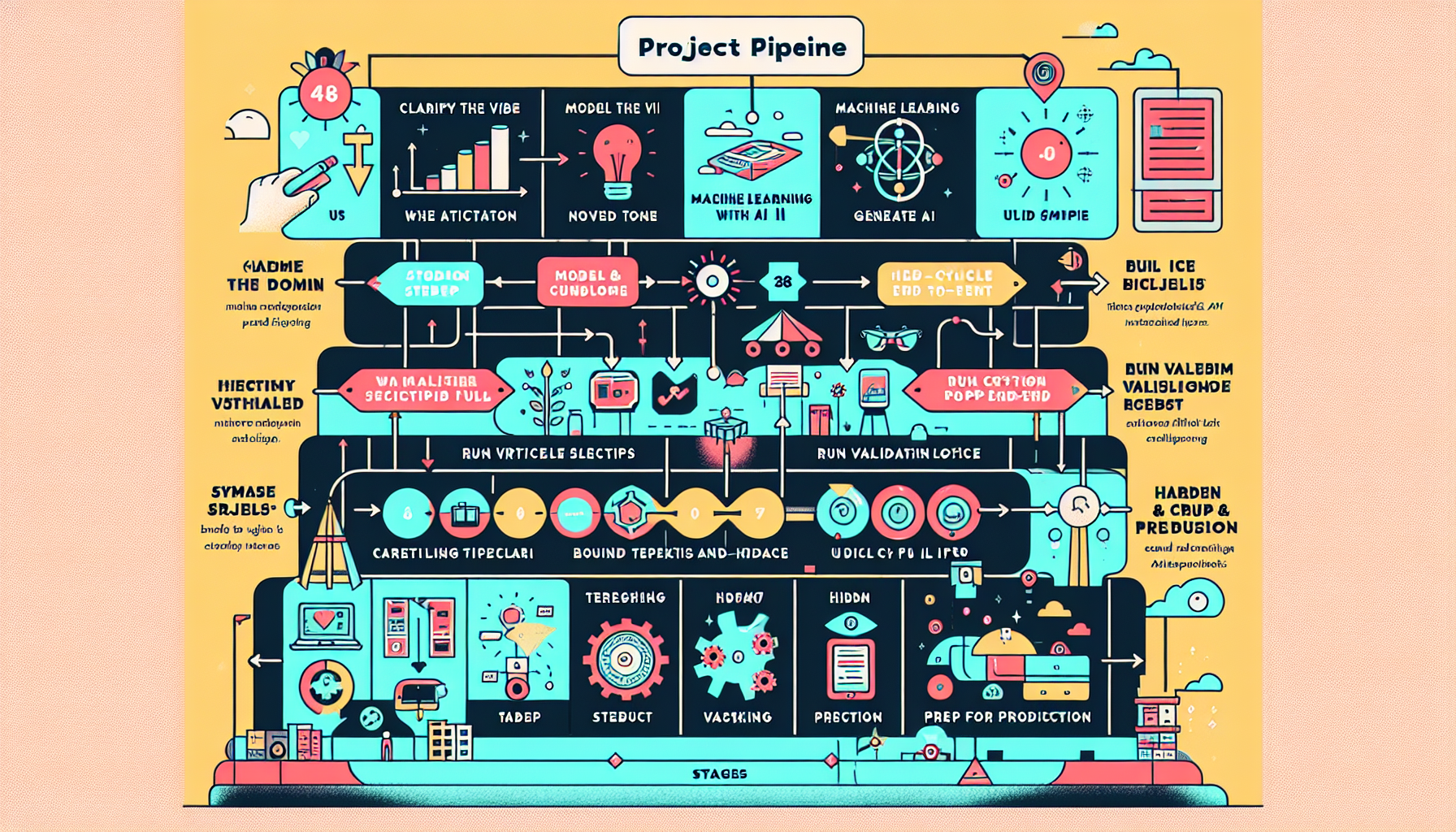
## The 48-Hour Vibe Coding Pipeline (Overview)
Here’s the high-level flow you can run in a 1–2 day feature sprint:
1. **Clarify the vibe (1–2 hours)**
Transform the fuzzy idea into a concise product intent and constraints via prompt-first ideation.
2. **Model the domain with AI (2–3 hours)**
Use an LLM to explore entities, relationships, workflows, and edge cases.
3. **Generate UI scaffolds (2–4 hours)**
Have the AI propose flows, wireframes, and starter components.
4. **Build a vertical slice end-to-end (12–16 hours)**
Database → API → UI → basic tests, using AI for code generation and you for orchestration and review.
5. **Run validation loops with users (4–6 hours)**
Put the prototype in front of real users; capture feedback; iterate quickly.
6. **Harden & prep for production (4–6 hours)**
Security, performance, logging, and team documentation.
You don’t need to follow the timeboxes literally, but they force the right trade-offs: **scope small, validate early, and let AI handle the heavy lifting while humans guard correctness, risk, and product sense**.
## Step 1: Prompt-First Ideation – Turning Vibes into Clear Intent
### The Problem
Stakeholder requests are often:
- Overly broad (“Make onboarding smoother”)
- Solution-biased (“Just add a dashboard”)
- Missing constraints (“It shouldn’t impact infra costs, right?”)
Vibe Coding doesn’t mean “skip thinking and just prompt.” It means **use prompts as a structured thinking tool.**
### The Goal
In 60–90 minutes, produce a **crisp, shareable intent artifact**:
- Problem statement
- Target user(s)
- Success criteria / KPIs
- Hard constraints (time, compliance, architecture)
- Non-goals
This acts as your **Product Requirements Draft (PRD)** for both humans and the AI.
### Example Prompt: Clarifying a Fuzzy Request
Stakeholder input:
> “Sales needs a better view of customer health. Right now they’re blind.”
Prompt to your LLM:
```text
You are a senior product manager.
I’ll paste a vague stakeholder request. Your job is to:
- Extract the underlying business problem
- Identify the primary user roles
- Propose 3–5 measurable success metrics
- List assumptions that must be validated with users
- Suggest a concise problem statement (max 3 sentences)
Stakeholder request:
"Sales needs a better view of customer health. Right now they’re blind."
Return your answer in structured Markdown with headings.
```
In 1–2 iterations, you’ll have a **draft problem framing** you can quickly review with the stakeholder.
### Where Human Judgment Is Critical
- **Challenge metrics.** Ask: “If we hit these metrics, would you *actually* call this a win?”
- **Spot missing constraints.** Compliance, data residency, SLAs, internal politics. AI will rarely know these.
- **De-scope aggressively.** Choose a *single* “hero workflow” to target in the first 48 hours.
A disciplined upfront prompt round saves multiple days of rework downstream.
## Step 2: AI-Assisted Domain Modeling – Understand Before You Build
With the intent clear, you shift to **domain modeling**: entities, relationships, workflows, and edge cases. Vibe Coding excels here because LLMs are strong at exploring permutations you may overlook.
### Outputs You Want
- Entity list (e.g., Account, Contact, HealthSignal, Touchpoint)
- Relationships and cardinalities
- Key workflows ("sales rep preparing for renewal call")
- Edge cases and failure modes
### Example: Domain Modeling Prompt
```text
You are a staff-level backend engineer.
We are designing a "Customer Health Overview" feature for sales reps.
Context:
- Users: B2B account executives
- Goal: Help them prepare for renewal / upsell calls in under 3 minutes
- Data sources: CRM accounts + product usage + support tickets
Tasks:
1. Propose a domain model: entities, fields, and relationships.
2. Suggest a normalized relational schema suitable for PostgreSQL.
3. List 10 realistic edge cases or data quality issues.
4. Propose 3 core API endpoints to power a single-page dashboard.
Return: Markdown with sections and code blocks for SQL schema.
```
Example of AI-generated schema (truncated):
```sql
CREATE TABLE accounts (
id UUID PRIMARY KEY,
name TEXT NOT NULL,
segment TEXT NOT NULL,
renewal_date DATE,
owner_id UUID NOT NULL
);
CREATE TABLE health_signals (
id UUID PRIMARY KEY,
account_id UUID REFERENCES accounts(id),
source TEXT NOT NULL, -- "product_usage", "support", etc.
score INTEGER NOT NULL CHECK (score BETWEEN 0 AND 100),
description TEXT,
created_at TIMESTAMPTZ DEFAULT now()
);
```
### Where Human Judgment Is Critical
- **Align with existing architecture.** Ensure new entities fit your current domain and data contracts.
- **Rightsize complexity.** LLMs tend to over-model. Collapse entities where needed.
- **Validate with a domain expert.** Run a 15–30 minute review with someone close to the real workflows.
The domain model becomes the **source of truth** you’ll feed into subsequent prompts.
## Step 3: Rapid UI Scaffolding – From Words to Screens
Once you know *what* you’re modeling, you can move to *how users experience it*. Vibe Coding lets you go from zero to reasonable UI scaffolds in hours.
### Outputs You Want
- User flow diagrams or written flows
- Low/medium-fidelity page layouts
- Reusable component list
- Starter implementation in your chosen stack
### Example: User Flow & Wireframe Prompt
```text
You are a senior UX designer and front-end engineer.
We’re building a "Customer Health Overview" page as a single-screen dashboard.
Users: B2B account executives.
Goal: In under 3 minutes, understand risk level and plan next best actions.
Tasks:
1. Describe the ideal user flow in 5–10 steps.
2. Propose a layout using a text-based wireframe.
3. List the React components we should implement.
4. Generate a basic React + TypeScript implementation using a Tailwind-based layout.
Limit JS code to the layout and mock data. No API integration yet.
```
Example of AI-generated React scaffolding (simplified):
```tsx
import React from "react";
const mockAccount = {
name: "Acme Corp",
segment: "Enterprise",
healthScore: 72,
riskLevel: "Medium",
};
export function CustomerHealthOverview() {
return (
{mockAccount.name}
Segment: {mockAccount.segment}
Health Score
{mockAccount.healthScore}
{mockAccount.riskLevel} Risk
{/* TODO: usage charts, support tickets, next best actions */}
);
}
```
### Where Human Judgment Is Critical
- **Enforce your design system.** Inject your component library, CSS conventions, and accessibility standards into the prompt.
- **Prioritize above-the-fold.** Ask: “Can a rep answer ‘Is this account at risk and why?’ in 10 seconds?”
- **Guard complexity.** LLMs love complex dashboards; your users probably don’t.
At this point—often by the end of Day 1—you should have a **clickable mock UI with mock data** that you can already demo.
## Step 4: Vertical-Slice Implementation – Ship One End-to-End Path
To avoid getting lost in breadth, use a **vertical slice** approach: build a thin, fully working path instead of a half-done system.
For example, choose:
- One segment of users (e.g., Enterprise accounts only)
- One primary workflow (renewal call prep)
- Minimal integrations (one or two data sources)
### Structured Plan Prompt
Before coding, have the AI help you structure the work:
```text
You are a staff engineer helping plan a vertical-slice implementation.
Context:
- Feature: Customer Health Overview dashboard
- Tech: React + TypeScript frontend, Node.js + Express backend, PostgreSQL
- Constraint: We want a shippable slice in 48 hours.
Tasks:
1. Break work into 5–7 phases, each delivering a testable end-to-end increment.
2. For each phase, specify:
- Goal
- Changed components (DB, API, UI)
- Acceptance criteria
3. Assume we start from the mock UI and draft schema.
Return as a Markdown table.
```
Review and slightly edit the plan, then execute phase by phase.
### Example: AI-Assisted Backend Implementation
Prompt:
```text
You are a senior backend engineer.
Using the PostgreSQL schema below, generate a minimal Express + TypeScript API with:
- GET /accounts/:id/health -> returns account summary + aggregated health score
Requirements:
- Use async/await
- Use parameterized queries to prevent SQL injection
- Include basic error handling
- No ORM, use node-postgres (pg) client
Schema:
```sql
CREATE TABLE accounts (...);
CREATE TABLE health_signals (...);
```
Return a single TypeScript file named accountHealthRoute.ts.
```
Example output (abbreviated):
```ts
import { Request, Response } from "express";
import { Pool } from "pg";
const pool = new Pool();
export async function getAccountHealth(req: Request, res: Response) {
const { id } = req.params;
try {
const accountResult = await pool.query(
"SELECT id, name, segment, renewal_date FROM accounts WHERE id = $1",
[id]
);
if (accountResult.rowCount === 0) {
return res.status(404).json({ message: "Account not found" });
}
const signalsResult = await pool.query(
`SELECT avg(score) as health_score FROM health_signals WHERE account_id = $1`,
[id]
);
const healthScore = signalsResult.rows[0]?.health_score ?? null;
return res.json({
account: accountResult.rows[0],
healthScore,
});
} catch (error) {
console.error("Error fetching account health", error);
return res.status(500).json({ message: "Internal server error" });
}
}
```
### Wiring the Frontend
Let the AI generate the fetch logic and state handling, but you control the UX:
```tsx
import React, { useEffect, useState } from "react";
export function CustomerHealthOverview({ accountId }: { accountId: string }) {
const [data, setData] = useState(null);
const [loading, setLoading] = useState(true);
useEffect(() => {
async function load() {
const res = await fetch(`/api/accounts/${accountId}/health`);
const json = await res.json();
setData(json);
setLoading(false);
}
load();
}, [accountId]);
if (loading) return
Loading…
;
// ...render the layout using data.account and data.healthScore
}
```
### Where Human Judgment Is Critical
- **Security & correctness.** Review AI-generated code for:
- Injection vulnerabilities
- Authz/authn gaps
- PII handling and logging
- **Performance assumptions.** LLMs may propose N+1 queries or brute-force joins.
- **Testing strategy.** Have AI draft unit/integration tests, but you decide coverage and edge cases.
You are not vibe coding to “never read code”; you are **delegating the boilerplate** while owning the architecture and risk.
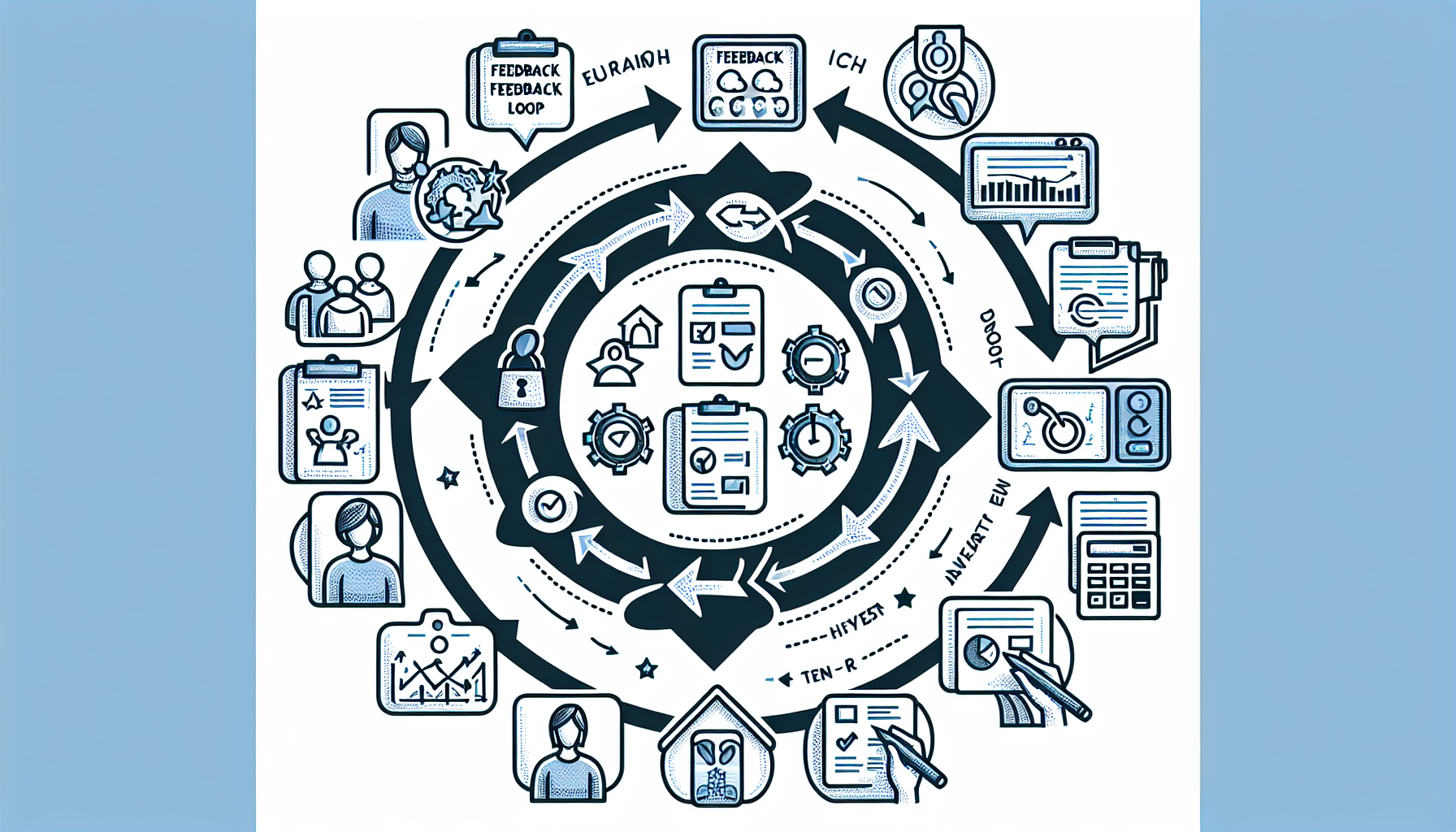
## Step 5: Validation Loops – Closing the Feedback Gap
You now have a thin but working feature. The difference between a cool demo and a shippable asset is **validated learning**.
### Design Fast Feedback Sessions
In the second day, run **1–3 short user sessions**:
- 20–30 minutes each
- Mix of live demo and hands-on use
- Focus on one primary workflow
Use AI to help prepare and synthesize:
**Prompt: Create a test script**
```text
You are a UX researcher.
We have a prototype of a Customer Health Overview dashboard for sales reps.
Create a 25-minute usability test script including:
- 3 warm-up questions
- 2 realistic tasks to perform using the prototype
- 5 follow-up questions focusing on usefulness, clarity, and missing info
Return in bullet-point format.
```
After sessions, paste anonymized notes into the LLM:
```text
You are a product strategist.
Here are notes from 3 usability sessions (pasted below). Extract:
- Top 5 recurring pain points
- Top 5 positive signals
- 3 small changes we can implement in <4 hours
- 3 bigger changes for the next iteration
Group findings by theme (e.g., data trust, navigation, signal clarity).
```
### Where Human Judgment Is Critical
- **Interpret politics and incentives.** AI won’t know who is sandbagging, posturing, or over-optimistic.
- **Decide what *not* to change yet.** Don’t derail the 48-hour goal by chasing every suggestion.
- **Guard against confirmation bias.** Ask specifically for *negative* signals and ignored feedback.
Within the 48-hour window, aim to implement **1–3 high-leverage tweaks** that directly respond to what you heard.
## Step 6: Hardening the Feature – From Prototype to Production-Ready
By the end of your rapid cycle, you should have:
- A working vertical slice
- Real user feedback
- A prioritized list of follow-ups
Before shipping broadly, apply guardrails inspired by structured Vibe Programming approaches:
### 1. Verification Before Trust
- Run static analysis and security scans to catch vulnerabilities in AI-generated code.
- Have a human engineer review all critical paths.
### 2. Maintainability & Refactoring
Use AI to **help refactor**, but enforce your standards:
```text
You are a senior engineer.
Here is a TypeScript file (pasted below). Refactor it to:
- Reduce duplication
- Improve naming
- Add types where "any" is used
- Add JSDoc comments for exported functions
Keep behavior identical. Return just the refactored code.
```
### 3. Documentation & Knowledge Preservation
Prompt the AI to generate:
- A one-page technical design doc describing:
- Domain model
- APIs
- Data sources
- Known limitations
- Inline comments for non-obvious logic
- A short handoff note for on-call / SRE teams
### 4. Observability & Rollout
Ask the LLM to:
- Propose **logging and metrics** for the new feature
- Suggest **feature flag** strategy and rollout plan
Use your judgment to pick a safe launch mode (internal, beta, cohort-based, etc.).
## Practical Tips for Teams Adopting Vibe Coding
### 1. Establish a “Vibe Contract”
Define, in writing, how your team will use AI:
- What types of work AI *can* generate (e.g., scaffolds, boilerplate, test drafts)
- What types of work require deeper human involvement (e.g., security-sensitive flows, critical algorithms)
- Review expectations before merging AI-generated code
### 2. Standardize Prompt Patterns
Create a shared prompt library for:
- PRD drafting
- Domain modeling
- Vertical-slice planning
- API and schema generation
- Test creation and refactoring
Treat prompts as **versioned artifacts**, like code.
### 3. Measure Impact
Track before/after metrics:
- Time from idea to first working demo
- Time from demo to validated user feedback
- Defect rates on AI-heavy vs. manually written modules
- Developer satisfaction and perceived productivity
Use data to tune how aggressively you lean into Vibe Coding.
### 4. Start Small and Visible
Pilot the 48-hour playbook on:
- Internal tools
- Low-risk enhancements
- “Nice-to-have” features that always get deprioritized
Success here will build trust and provide patterns you can reuse on core product work.
## Conclusion: Make Vibe Coding a Strategic Capability
Vibe Coding is not about abdicating engineering rigor to an LLM. It’s about **compressing the distance between messy business ideas and working software**—without sacrificing human judgment where it matters most.
By combining:
- Prompt-first ideation
- AI-assisted domain modeling
- Rapid UI scaffolding
- Vertical-slice implementation
- Tight validation loops
- Deliberate hardening and review
…you can reliably turn fuzzy stakeholder requests into **shippable, validated features in roughly 48 hours**.
If you’re a CTO, tech lead, founder, or developer, the next step is simple:
- **Pick one real, fuzzy request** in your backlog.
- **Block 1–2 days** with a small squad.
- **Run this playbook end-to-end.**
From there, iterate on the process itself. Use your AI tools not just to write code, but to **design the way your organization builds**—faster, safer, and closer to the real needs of your users.
## FAQ
### What is Vibe Coding?
Vibe Coding is an AI-assisted approach to software development where you describe what you want in natural language and let a large language model (LLM) generate the bulk of the implementation. It is designed to rapidly turn vague stakeholder requests into working, validated features within 48 hours.
### How does Vibe Coding handle vague requests?
Vibe Coding uses a structured process called prompt-first ideation to transform vague requests into clear product intents and constraints. This involves using prompts as a thinking tool to clarify the problem statement, target users, success criteria, and constraints, which guides the AI in generating relevant solutions.
### What are the steps in the 48-hour Vibe Coding pipeline?
The 48-hour Vibe Coding pipeline consists of six steps: 1) Clarify the vibe, 2) Model the domain with AI, 3) Generate UI scaffolds, 4) Build a vertical slice end-to-end, 5) Run validation loops with users, and 6) Harden and prep for production. These steps aim to quickly develop and validate features while ensuring human oversight for quality and correctness.
### How does AI assist in domain modeling during Vibe Coding?
In Vibe Coding, AI assists in domain modeling by exploring entities, relationships, workflows, and edge cases. The AI can propose domain models, suggest relational schemas, identify edge cases, and recommend API endpoints, helping developers understand the system before building it.
### What role does human judgment play in Vibe Coding?
Human judgment is critical in Vibe Coding to challenge metrics, spot missing constraints, and de-scope aggressively. Humans ensure the AI-generated solutions align with existing architecture, fit within constraints like compliance and data residency, and meet real user needs, preventing the shipment of incorrect features.
## Related reading
- [Context Engineering for Vibe Coding: Structured Prompts for Rapid SaaS Prototyping](https://www.tytarenkoagency.com/blog/context-engineering-for-vibe-coding-structured-prompts-for-rapid-saas-prototyping)